WashPro / Workflow
Explain the quote, one measured surface at a time.
Select driveway, house siding or patio. Enter the area you measured, adjust the rate per square foot and add any extras.
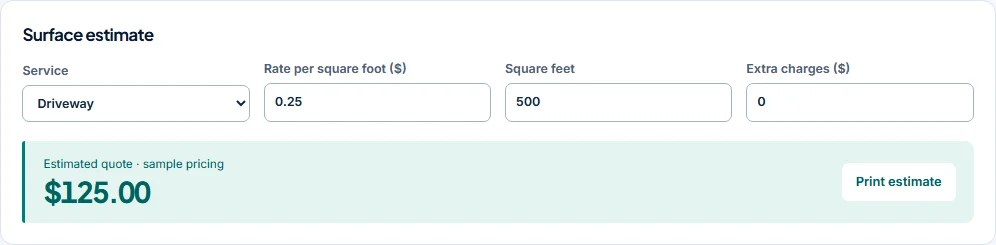
Work through the example.
- Choose a surface
- Enter measured square feet
- Set your rate and extras
- Review and print
Understand the calculation.
| Service | Sample rate | Units | Extras | Total |
|---|---|---|---|---|
| Driveway | $0.25 | 500 | $0 | $125 |
| House siding | $0.35 | 1200 | $30 | $450 |
| Patio | $0.3 | 200 | $15 | $75 |
Rates are illustrative. The preview does not measure a property or infer your expenses, taxes or local pricing. Check access, condition and scope before giving a real estimate.
Continue through the job.
Open Expenses to add fictional costs, then mark a sample booking complete to see the change in recorded margin.
Explore before registering.
WashPro is in early-access validation. You can use the free preview and consider the proposed one-time price before sharing purchase interest.